| Lesson 3 | Web Development Process Model |
| Objective | Describe the Web Development Process Model |
Six-Phase Cycle of the Web Development Process Model
A reliable web development process is not “just build pages and publish them.” It is a structured model for turning goals into a working website through a sequence of phases, with clear deliverables at each step. The classic six-phase cycle—Discovery, Definition, Design, Development, Delivery, and Post-Delivery—still holds up today because it forces teams to do the hard thinking early, reduce risk before launch, and treat the website as a living product that continuously improves.
Modern web teams run this cycle iteratively. Even if you perform a “full launch” once, new features, new content, accessibility fixes, security updates, and performance tuning will send you back through a smaller version of the same phases. The most important idea is: the website is never final. A site that remains static tends to drift out of alignment with user needs, browsers, search engines, security expectations, and business goals.
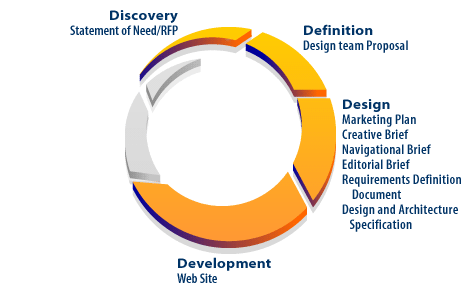
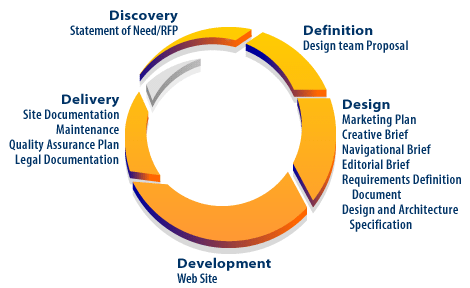
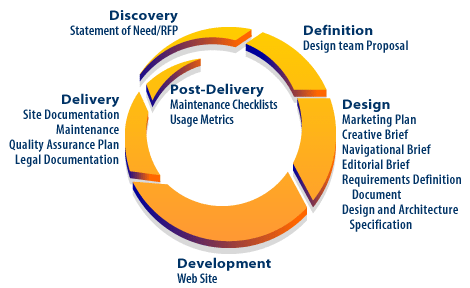
Web Development Process Overview
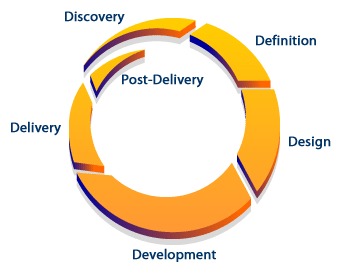
-
Discovery: Establish goals, understand the audience, gather constraints, and define what “success” means.
- Typical deliverables: statement of need, stakeholder notes, analytics baseline, content inventory, risk list.
- Modern considerations: privacy requirements, security expectations, accessibility goals (WCAG), mobile-first usage patterns.
-
Definition: Convert discovery into a scoped plan everyone can agree on.
- Typical deliverables: requirements definition, sitemap / information architecture draft, feature list, timeline, budget.
- Modern considerations: hosting and deployment strategy, CMS vs. static vs. app framework, data retention and consent approach.
-
Design: Translate requirements into UX/UI decisions and the “blueprints” for implementation.
- Typical deliverables: wireframes, user flows, visual style guide, navigation model, content templates.
- Modern considerations: responsive layouts, design for accessibility, performance budgets, component-based design systems.
-
Development: Build the site based on the design: templates, content integration, backend features, and automation.
- Typical deliverables: working build, code repository, automated checks, integrated content, initial QA fixes.
- Modern considerations: CI/CD pipelines, secure coding practices, dependency management, structured data and SEO hygiene.
-
Delivery: Validate and release to production with confidence.
- Typical deliverables: QA plan, launch checklist, rollback plan, monitoring/alerting, documentation.
- Modern considerations: HTTPS/TLS enforcement, security headers, load testing, cross-browser and device testing, Core Web Vitals.
-
Post-Delivery: Operate, measure, and improve continuously.
- Typical deliverables: maintenance plan, update cadence, usage metrics, backlog of improvements.
- Modern considerations: vulnerability patching, content refresh cycles, A/B testing, SEO monitoring, uptime and error monitoring.
What makes this model practical
The model is useful because it connects activities to deliverables. Deliverables are the artifacts that prove a phase is complete: requirements documents, prototypes, test plans, deployment checklists, and measurement dashboards. A team that skips deliverables usually pays the price later with scope creep, rework, unclear ownership, and fragile launches.
When does the process end?
It does not end. After launch, teams return to Discovery using real feedback: analytics, search performance, support tickets, and user behavior. Post-Delivery loops back to Discovery because the live site reveals what users actually do (not what we predicted they would do).
Older web-development literature sometimes described this ongoing behavior using a “Web Interaction Model.” A modern, practical equivalent is to think in terms of user journeys and a product lifecycle:
- User journeys: how visitors move from entry point → task completion (learn, contact, buy, subscribe).
- Accessibility and inclusion: ensuring the journey works for keyboard users, screen readers, and varied cognitive/visual needs.
- Security and privacy: protecting users and the site (HTTPS, secure sessions, safe forms, consent where required).
- Performance: speed and stability on real devices and networks, not just a developer workstation.
- Measurement: analytics and Search Console data guide prioritization of improvements.
In practice, the Post-Delivery phase is where mature teams spend most of their time—improving reliability, content quality, conversion rates, accessibility, and performance based on measurable evidence.
Phase snapshots
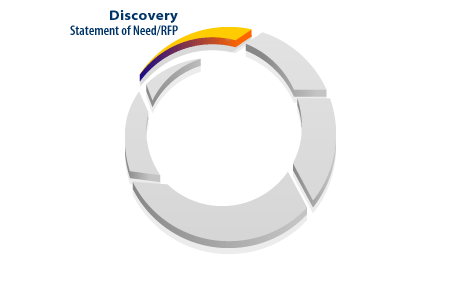
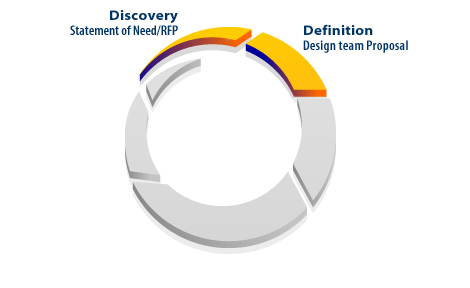
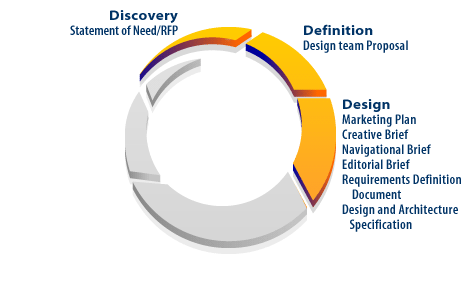
Web collaboration enables distributed teams to work in parallel: UX can refine prototypes, engineering can build features, and content owners can prepare copy—so long as deliverables and acceptance criteria stay clear.
RFP: Request for Proposal
For larger projects—especially agency work—a Request for Proposal (RFP) formalizes Discovery and helps vendors propose realistic plans. Even if you never write a formal RFP, the same thinking is useful: define goals, constraints, timelines, and what “done” means.
-
Discovery (often where an RFP begins): Gather information about the organization, audience, and constraints.
- Clarify the site’s primary outcomes (lead generation, sales, education, support, community).
- Review existing content and analytics to understand what currently works and what fails.
- Identify constraints: budget, timeline, compliance, integrations, and maintenance ownership.
-
Definition: Convert discovery into an actionable plan and scope.
- Create a sitemap and navigation strategy that matches real user tasks.
- Define functional requirements (forms, search, logins, payments, integrations).
- Choose technologies based on maintainability and security (CMS, frameworks, hosting, deployment).
-
Design: Decide how the site will communicate and how users will succeed.
- Develop wireframes and a design system (colors, typography, components).
- Ensure accessibility is designed in, not bolted on (contrast, focus states, semantics).
- Use prototypes to validate navigation and page layouts early.
-
Development: Build the site with quality gates.
- Implement frontend and backend features based on the requirements.
- Use code review, automated tests, and security scanning where possible.
- Integrate content and structured data, and ensure the site is crawlable.
-
Delivery: Test, launch, and verify in production.
- Validate forms, navigation, and critical user paths end-to-end.
- Check performance, mobile behavior, and cross-browser compatibility.
- Go live with monitoring, backups, and a rollback plan.
-
Post-Delivery: Keep improving.
- Monitor uptime, errors, security alerts, and user behavior.
- Refresh content, tune performance, and iterate based on measurable results.
- Maintain an improvement backlog so the site evolves intentionally.